All the new features coming in MacOS 14

estimated read time: 2m 15s
Apple has unveil the next version of its desktop operating system, MacOS 14 (Sonoma), at its annual Worldwide Developers Conference (WWDC) on June 5th.
Here are some of the most exciting features coming to MacOS Sonoma
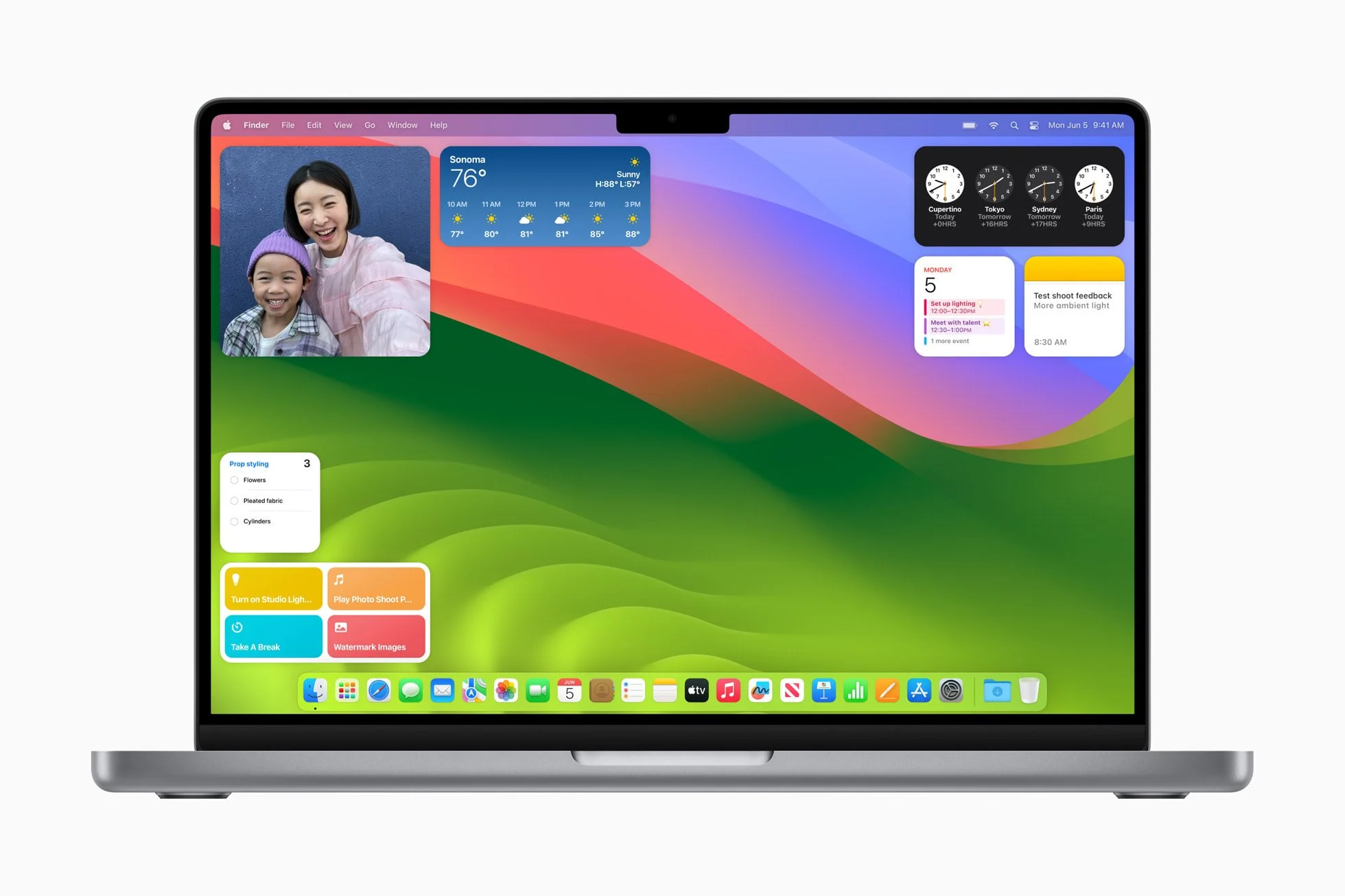
- Get More Done with Interactive Widgets: Widgets are now even more powerful and personal on Mac. Users can place widgets right on the desktop and conveniently access the widget gallery to find the ones they know and love. Widgets blend seamlessly with the wallpaper while users work in apps, so they can stay focused on the task at hand. Through the magic of Continuity, users can also enjoy the vast ecosystem of iPhone widgets on their Mac. And widgets become interactive, allowing users to check off reminders, play or pause media, access home controls, and perform various tasks from their Mac, all directly from the desktop.
- Smarter Video Conferencing Experiences: macOS Sonoma brings enhanced video conferencing features that enable users to present and share their work more effectively within any video conferencing app. Presenter Overlay, a new video effect, elevates a user’s presence by displaying them on top of the content they are sharing. Additionally, Reactions allow users to share how they feel by seamlessly adding balloons, confetti, hearts, and more into the video, which can also be triggered with a hand gesture. The improved Screen Sharing picker simplifies the process of sharing apps during video calls. Users can simply click the green button in the top-left corner of an app and choose to share it in the call, allowing for easy content sharing from their currently open windows.
- Stunning New Screen Savers: macOS Sonoma brings stunning screen savers featuring slow-motion videos of various locations worldwide, such as the sweeping skyline of Hong Kong, the sandstone buttes of Monument Valley in Arizona, and the rolling hills of Sonoma in Northern California. This rich graphical and photographic imagery enhances the Mac experience by shuffling through Landscape, Earth, Underwater, or Cityscape themes. The login experience is now repositioned at the bottom of the screen, making space for the new screen savers, which seamlessly transition into the desktop.
These are just some of the highlights of MacOS Sonoma, which will be available for download later this year. Stay tuned for more updates on MacOS Sonoma.
- Game on: macOS Sonoma also introduces Game Mode, giving players an edge when performance is measured in precious milliseconds. Game Mode delivers an optimized gaming experience with smoother and more consistent frame rates, by ensuring games get the highest priority on the CPU and GPU. Game Mode also makes gaming on Mac even more immersive — dramatically lowering audio latency with AirPods, and significantly reducing input latency with popular game controllers like those for Xbox and PlayStation by doubling the Bluetooth sampling rate. Game Mode works with any game, including all of the recent and upcoming Mac games.
- Enhancing Hybrid and Remote Pro Workflows: Leveraging the advanced media engine in Apple silicon, macOS Sonoma brings a new high performance mode to the Screen Sharing app. Enabling incredibly responsive remote access to hybrid in-studio and remote pro workflows, it delivers low-latency audio, high frame rates, and supports up to two virtual displays. This mode empowers pros to securely access their content creation workflows from anywhere — whether editing in Final Cut Pro or DaVinci Resolve, or animating complex 3D assets in Maya. And with support for reference colour, it also enables remote colour workflows that traditionally could not be performed without dedicated hardware and specialized software.
These are just some of the highlights of MacOS Sonoma, which will be available for download later this year. Stay tuned for more updates on MacOS Sonoma.


Comments
Post a Comment